As digital devices continue to multiply in both homes and workplaces, efficient power management has become increasingly important. Two of the most commonly used charging solutions are USB power strips and USB adapters (also known as USB wall chargers). While they may appear to serve similar purposes—providing power to charge smartphones, tablets, laptops, and other electronics—they are fundamentally different in design, functionality, capacity, safety, and use-case suitability. Understanding the distinction is essential for choosing the right device for your charging needs and ensuring the safety and longevity of your electronic devices.
Below is a comprehensive breakdown of the difference between USB power strips and USB adapters from a professional technical standpoint.
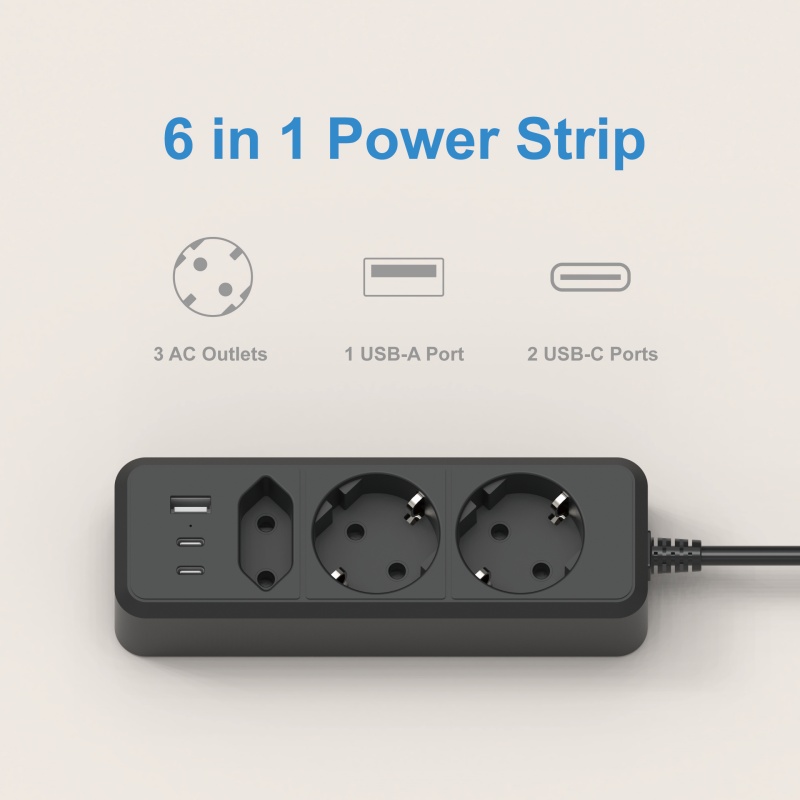
1. Definition and Basic Function
USB Power Strip
A USB power strip is a multifunctional charging hub that combines traditional AC outlets with USB charging ports (USB-A, USB-C, or both). It is designed to power multiple devices simultaneously, including:
- Laptops and large appliances via AC outlets
- Smartphones, tablets, earbuds, and small electronics via USB ports
Power strips are typically used on desktops, under tables, beside beds, or in areas where many devices need power at once.
USB Adapter (USB Wall Charger)
A USB adapter is a compact charger that plugs directly into a wall outlet. It has one or more USB ports—usually 1 to 4—and is designed primarily for charging small electronic devices such as smartphones, tablets, cameras, and wearables.
It does not come with AC outlets and serves only as a charging accessory, not a distribution hub.
2. Design Structure and Components
USB Power Strip
A power strip incorporates multiple electrical modules:
- AC power distribution module
- USB charging module with power conversion circuitry
- Surge protection components
- Thermal protection and overload switches
- Fire-resistant housing (ABS, PC, or flame-retardant materials)
Some advanced USB power strips also include:
- GaN (Gallium Nitride) USB-C fast charging
- Independent power switches
- Intelligent power management ICs
- Energy-saving systems
- Mounting brackets or clamp designs
A power strip is built for both high-power and low-power applications.
USB Adapter
Adapters are simpler, containing:
- A USB charging circuit
- Power control IC
- Overheat and short-circuit protection
- USB-A or USB-C ports
Modern high-performance USB adapters—especially GaN chargers—can support:
- PD (Power Delivery)
- PPS (Programmable Power Supply)
- QC (Quick Charge)
- Multi-port fast charging
However, they do not include AC outlets or surge protection.
3. Use Cases and Application Scenarios
When to Use a USB Power Strip
A USB power strip is ideal for environments with multiple devices, such as:
- Home offices
- Computer desks
- Entertainment centers
- Hotel rooms
- Workshop stations
- Kitchen counters
- It is the preferred solution when you need to power:
- Laptops, printers, routers (AC outlets)
- Phones, tablets, wearables (USB ports)
- Multiple devices at once
Its ability to provide both AC and USB power makes it a versatile charging station.
When to Use a USB Adapter
A USB adapter is best for:
- Travel and portability
- Minimal charging setups
- Quick phone/tablet charging
- Replacing lost or damaged chargers
Adapters are lightweight and compact, making them easy to carry or plug behind furniture.
4. Charging Speed and Power Output
USB Power Strip
Charging speed varies widely depending on the model:
- USB-A ports may output 5V/2.4A (12W max)
- USB-C ports may provide PD outputs of 20W, 30W, 45W, or even 65W
- Some strips include GaN technology for laptop charging (up to 100W)
Because power strips distribute electricity across multiple devices, total power capability must support simultaneous charging.
USB Adapter
USB adapters can be optimized for fast charging:
- Single-port PD chargers can reach 20–100W
- Multi-port GaN chargers can charge laptops, tablets, and phones simultaneously
- Some models support PPS for Samsung Super Fast Charging
High-power USB adapters often charge faster than basic USB ports found in many power strips.
5. Safety Features and Protection Levels
USB Power Strip
Power strips offer more comprehensive protection because they handle both low-power USB devices and high-power AC appliances. Features may include:
- Surge protection (absorbing voltage spikes)
- Overload protection (automatic shutoff if capacity is exceeded)
- Short-circuit protection
- Thermal protection and fire-resistant materials
- Child safety shutters
This makes power strips safer for powering multiple devices over long periods.
USB Adapter
Adapters include essential protection:
- Overcurrent protection
- Overvoltage protection
- Temperature control
- Short-circuit protection
While safe for small devices, adapters do not protect larger appliances and lack surge suppression.
6. Portability and Convenience
USB Power Strip: Less Portable
Because of its size and number of outlets, a power strip is:
- Larger
- Heavier
- Intended for stationary use
However, travel-friendly versions do exist with foldable plugs and compact designs.
USB Adapter: Highly Portable
A USB adapter is:
- Lightweight
- Pocket-sized
- Ideal for travel
This makes it more convenient for daily mobile charging needs.
7. Cost Differences
USB Power Strip
Prices vary widely depending on features:
Basic models: inexpensive
Advanced models with GaN USB-C ports, surge protection, and AC outlets: more expensive
Higher cost reflects the complexity of circuitry and multi-functional design.
USB Adapter
Pricing depends on:
- Number of ports
- PD/PPS support
- GaN technology
Even high-power GaN adapters are generally cheaper than high-end power strips, because they include fewer components.
8. Advantages and Disadvantages
USB Power Strip — Advantages
- Powers multiple devices (AC + USB)
- Provides surge and overload protection
- Reduces cable clutter
- Supports workstations and home offices
USB Power Strip — Disadvantages
- Bulkier and not ideal for travel
- Total USB power may be limited
- Requires careful load management
USB Adapter — Advantages
- Compact and portable
- Typically offers faster USB-C charging
- Ideal for travel and mobile use
- Simple and cost-effective
USB Adapter — Disadvantages
- Limited number of devices
- No AC power support
- No surge protection
- Less suitable for workstations or multi-device charging environments
The primary difference between a USB power strip and a USB adapter lies in their design, functionality, and purpose. A USB power strip serves as a multi-functional charging and power distribution hub, combining AC outlets with USB charging ports. It is ideal for desktops, home offices, and multi-device environments. In contrast, a USB adapter is a compact charger designed solely for powering USB devices, making it more suitable for travel or single-device charging.
You May Like
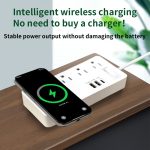
 US standard 3-hole socekt+2USB+1TYPE-C socket+Wireless charge
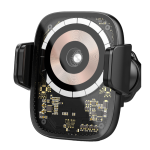
- Auto Clamping Smart Fast Charging 15W Holder Wireless Charger For Car
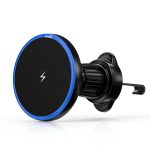
- 15W magsafe car wireless charger touch sensitive transparent wireless charging
- Fast Wireless Chargers: What to Look For (Supplier Guide)
- What Is the Difference Between Qi2 and MagSafe Wireless Chargers?
- Desktop wireless charger for furniture
- How Does Wireless Charging Technology Work for Modern Smartphones?
- Can Wireless Chargers Damage the Battery Life?
- Best Charging Station for Apple Products
- Smart Car Phone Charging Solutions: An Industry Guide for Modern Mobility